
Crossfading meditation tracks means letting one piece fade out while the next fades in, so the join disappears and nobody gets yanked out of their breathing. For most meditation and sleep music, an overlap of about 3 to 5 seconds is a sensible starting point. Then you use your ears: blend tracks that share a mood and tone, and leave a gap or a clean gapless hand-off where they don’t.
I have sat through enough sessions with a perfectly floaty cello solo ending in a digital thunk to know the feeling. You’ve spent ten minutes sinking into your own shoulders, and then the playlist cuts like a toaster popping. This guide is how to avoid that, whether you’re a listener with a streaming app, a yoga teacher building a class playlist, or someone editing a guided recording.
TL;DR
- A crossfade overlaps the end of one track with the start of the next. For meditation and sleep, start at 3 to 5 seconds and adjust by ear.
- Crossfade only when two tracks blend naturally (similar tone, key and energy). If they clash, use a gapless hand-off or an intentional pause.
- Clicks, pops and volume dips usually come from the cut point, the fade curve or missing audio “handles”, and each one has a simple fix.
- Order matters as much as duration: slow, quiet and tonally related pieces first, with energy moving in one direction.
- Spoken guidance needs much shorter fades than music, so keep the voice clear.
What crossfading actually is
A crossfade is an overlap. The end of one section gets quieter while the start of the next gets louder, and for a moment both are playing. In the overlap region both fades happen at the same time, so your ear hears one continuous stream even though one file has ended and another has begun.
That’s the whole trick. No magic, no special plug-in required. The Audacity manual describes the same idea for editing: you overlap adjacent clips so one ends while the other begins, which gives a smooth transition between two sections.
Why does it matter more for meditation than for, say, a pub playlist? Because the whole point of meditation audio is a steady nervous system. A hard edge, even a tiny one, is a little tap on the shoulder. A pop or a sudden silence can read as “something has happened”, and your attention pops back to the room.

What a crossfade protects you from
Without a crossfade, a clip can end abruptly and leave a subtle click, blip or pop. Overlapping and blending the clips removes the sudden start and stop that causes it. The same guide notes that the technique also smooths disjointed room-tone transitions, which is a real issue when you join recordings made in different spaces.
There’s a technical reason, too. Any hard cut in an audio file can produce a click, especially when the waveform isn’t at a zero crossing at the cut. A crossfade spreads the transition over a stretch of time and avoids abrupt jumps in level.
Crossfade, gapless or a pause: which one do you want?
Here’s the thing most guides skip: a crossfade is not automatically the gentlest option. It’s a choice, and there are three of them.
| Option | What happens | Best for |
|---|---|---|
| Crossfade | End of one track overlaps start of the next | Tracks with similar tone, tempo and key; continuous soundscapes |
| Gapless | Tracks play back to back with no overlap and no added pause | Pieces recorded to flow into each other, or tracks that already fade out and in |
| Intentional pause | A short stretch of silence between tracks | Contrasting moods, a change of practice, a moment to reset |
Gapless playback removes the extra pause a player inserts between files, whereas a crossfade fades the ending track out while the next fades in. Both recordings play during the overlap. That can smooth a playlist stitched together from unrelated songs, but it also alters timing and balance where they meet.
If you want a closer look at how looping and gapless behaviour work in a listening app, this piece on gapless playback in audio apps shows why uninterrupted flow matters to listeners.
When to skip the crossfade
One continuous-stream guide puts it well: crossfade when sounds blend naturally, and if the tones clash, use a gapless hand-off or an intentional pause. A short silence can even be part of the meditation sequence, a bit like the pause between exhale and inhale.
Practical examples of when I’d skip it:
- Going from a warm string piece in D major into a bright, bell-heavy track in a distant key. The overlap would sound like two radios on slightly different stations.
- Moving from the end of a body scan into silent practice. Here the silence is the point.
- Joining a track that already fades to nothing with one that already fades in. Add a crossfade on top and you can create a hole in the middle.
How long should a crossfade between meditation tracks last?
Short answer: longer than you’d use for pop, shorter than you fear. One widely cited guide suggests 3 to 5 seconds for meditation and sleep material as ultra-smooth and imperceptible. The same guide scales durations to the type of audio:
| Audio type | Typical crossfade |
|---|---|
| Fast-paced music | 100 to 500 ms |
| Background music | 500 ms to 2 s |
| Ambient audio | 1 to 3 s |
| Meditation and sleep | 3 to 5 s |
The Audacity manual agrees on the ballpark: for two music tracks, around 5 seconds is usually suitable, though shorter or longer can sound better depending on the material and your taste. Treat it as a starting position, then listen.
Longer isn’t always softer
It’s tempting to think a 12-second crossfade must be twice as dreamy as a 6-second one. Not quite. A too-short crossfade can be audible as a seam, and a too-long one can produce a muddy overlap where two busy passages fight. A playlist guide makes the same point: 6 seconds is a good compromise, but a very long crossfade lets two busy songs interfere with each other.
For sparse, slow music such as sustained strings, pads or a solo piano, you can go toward the longer end. For music with a clear pulse, such as a soft frame drum, keep the overlap shorter so two rhythms aren’t audible at once.
Voice needs different treatment
If your recording includes spoken guidance, don’t use the same fade as for the music. One meditation-assembly workflow suggests a background fade-in of 3 to 8 seconds and a fade-out of 5 to 12 seconds as starting points, not strict rules, with spoken voice often needing a much shorter fade. A voice that fades slowly sounds like the teacher is drifting off, which is lovely for the teacher and less lovely for the class.
Choosing and ordering tracks so the blend sounds natural
A good crossfade starts before you touch a slider. It starts with the running order.
Tempo, key and energy
DJs have a tidy way of thinking about this. A good next track matches the tempo of the current one, sits comfortably with it in key, and moves the energy in the direction you want. The same guide suggests keeping tempo within a few per cent and choosing keys that are the same or neighbouring on the Camelot wheel.
Meditation music is mostly beatless, so tempo matters less than key and texture. But the key principle carries over beautifully. Two sustained chords in related keys melt together. Two in unrelated keys can sound like a slow-motion argument.
Spotify’s own mixing tools lean on this idea too. A recent GameStar piece explains that you put slower songs first and then raise the BPM gradually for a gentle energy curve, and use the Camelot wheel for key, preferring tracks with the same or adjacent numbers. For a meditation, just run that curve in the other direction if you’re winding down: start softer than you think you need to and never climb back up.
Pay attention to how each track ends
A track that dissolves into air behaves differently from one that ends on a firm chord. One sequencing guide points out that muted drums can feel gentle alone but sound too active after three near-silent piano pieces. Crossfading doesn’t fix a mismatch of character. It just makes the mismatch arrive more smoothly.
A quick test before you commit:
- Play the last 20 seconds of track A.
- Play the first 20 seconds of track B.
- Ask yourself: is B a continuation of A’s mood, or a new scene?
- If it’s a continuation, crossfade. If it’s a new scene, use a gap or a gapless cut.
Sequence the sections of a longer session
For a full guided session, think in sections: introduction, breathing guidance, quiet interval, closing. The assembly guide above recommends keeping enough silence for instructions and says that if two clips meet too tightly you can trim less or leave a short gap. Crossfades are a tool, not a rule.
If your goal is a longer, continuous session built from a short piece, our own guide on loopable meditation music and how to loop it well covers choosing material that repeats without a noticeable seam.
How to crossfade in Spotify and other music apps
For listening at home, an app setting is usually enough.
- Spotify on desktop: open Settings, choose Show Advanced Settings, switch on Crossfade and set it between 0 and 12 seconds. On mobile: go to Settings, then Playback, and use the Crossfade slider, as How-To Geek describes. That guide dates from 2017, so menus may have moved slightly. The principle stays the same.
- Other players: most have an equivalent under playback or audio settings. Look for the words crossfade, fade between tracks or smooth transitions.
A sensible setting for a meditation playlist is 4 to 6 seconds. If you notice two tracks audibly overlapping, drop it by a second or two. If you notice a bump, raise it.
One caveat on app crossfades
App-level crossfades apply the same duration to everything. They can’t know that one track ends with a long natural fade and the next one begins with a soft swell. If a particular pair sounds odd, consider using gapless mode for that playlist, or pre-editing the transition in an audio editor.
Crossfading in an audio editor
If you teach, make content or build a guided audio, you’ll probably want control. The process is similar in Audacity, Reaper, Logic, DaVinci Resolve or any other editor.
- Place the tracks on the timeline with the end of A overlapping the start of B by 3 to 5 seconds.
- Apply fades to the overlap so A goes down and B goes up.
- Choose the curve (more on that below).
- Listen on headphones and on speakers. Seams that vanish on laptop speakers can be obvious on good headphones.
- Check the loudness across the join with your eyes and your ears.
Give your fades some room: audio handles
Crossfades need audio on both sides of the cut. One DaVinci Resolve guide explains that crossfades need “audio handles”: if clips are trimmed exactly to the last sample, there’s nothing for the fade to blend, and the silence that fills in can cause an abrupt drop that sounds like a pop. In plain words, don’t trim your tracks so tightly that they have nowhere to fade.
Pick the right curve
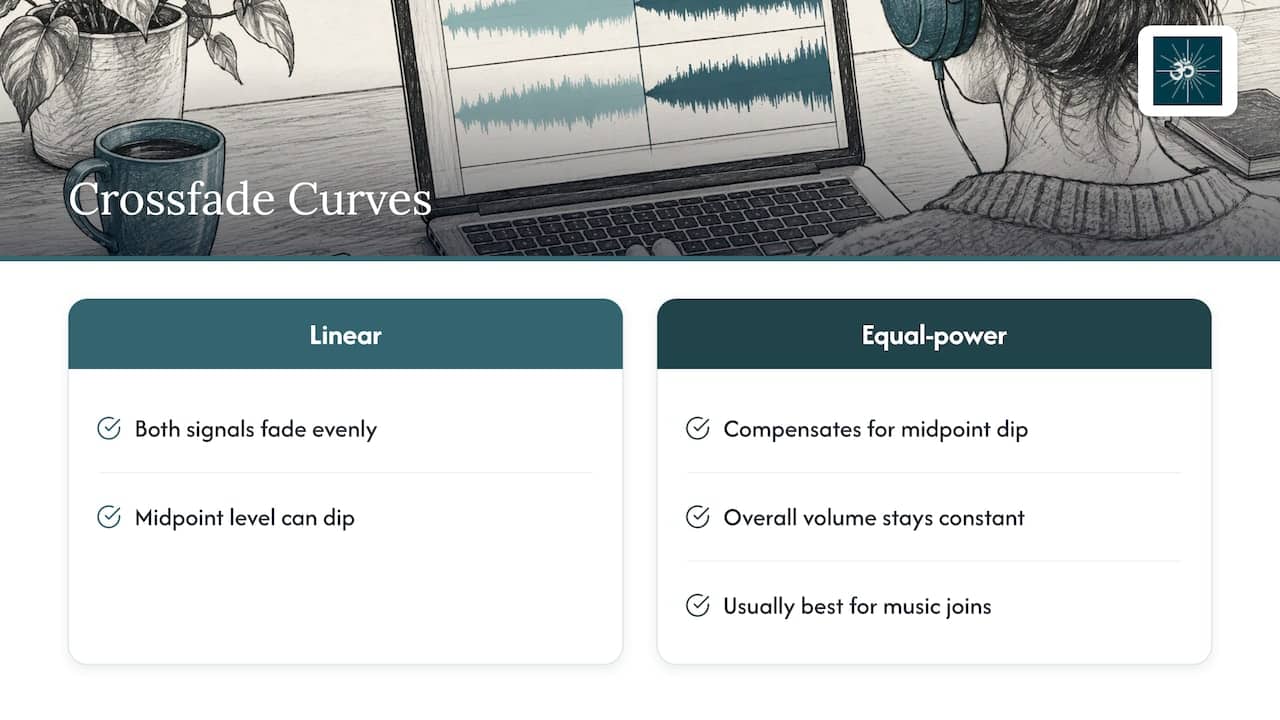
The shape of a crossfade changes how it sounds. A linear crossfade fades both signals evenly but can create a slight dip in level at the midpoint, while an equal-power crossfade compensates for the dip so the overall volume stays constant. For two different pieces of music, equal power is usually what you want.
In video-editing software the same idea appears as gain presets. The Resolve guide says that a -3 dB crossfade drops both clips to about -3 dB at the midpoint to keep perceived loudness steady, whereas a 0 dB crossfade can cause distortion or clipping artefacts. If your editor offers a choice, pick the -3 dB or equal-power option for music-to-music joins.
Making a loop seamless
If you’re looping one piece rather than joining two, the same logic applies to the loop point. One looping guide recommends aligning loop start and end points to zero crossings of the waveform to cut the chance of loud clicks. It also notes that volume dips or jumps at the loop point can come from a loudness mismatch between the start and end, and that a slightly longer crossfade can help mask small differences.
Fixing common crossfade problems
Most problems fall into a handful of categories, and each has a quick check.
| What you hear | Likely cause | What to try |
|---|---|---|
| A tick or pop at the join | Hard cut away from a zero crossing, or no audio handle | Add a tiny fade at the edit point, or lengthen the crossfade |
| A dip in volume mid-transition | Linear curve | Switch to equal-power or -3 dB |
| Two tracks audibly fighting | Overlap too long, or tones clash | Shorten the overlap or use a pause |
| A noticeable seam | Overlap too short | Lengthen it, within 3 to 5 seconds first |
| A quiet hole between tracks | Both tracks already fade to silence | Reduce the fades or trim the silence |
The general advice from the continuous-stream guide is to listen to the end of one track and the start of the next and check for clicks, unintended silence, abrupt cuts or fades that leave a quiet hole. It also says that if a click appears at a join, you should inspect the cut and try a small fade at the edit point, and avoid using a broad fade to hide a long silence unless it suits the programme.
A listening routine that catches 90 per cent of issues
Honestly, you don’t need a spectrum analyser. You need two minutes and some patience:
- Listen to every join at least twice, once with your eyes closed.
- Do it at the volume your audience will actually use. Quiet joins sound different from loud ones.
- Listen on headphones, then on speakers.
- Come back the next day. Your ears forget things overnight, which is useful.
Our perspective on crossfading meditation music
We spend a surprising amount of our lives worrying about the last two seconds of a piece of music. It sounds fussy until you’ve watched someone relax into a recording and then flinch at a badly cut ending.
Here’s what we’ve learnt from recording orchestral meditation music with live musicians. A string section doesn’t stop like a sample does. Players breathe out, the room rings, and the sound decays naturally over several seconds. That natural tail is the best crossfade material there is, because there’s a real, organic fade to blend with. Digital, mass-produced loops often end abruptly, so they need heavy editing to hide the join.
That’s why we care so much about how our pieces begin and end. We design tracks with gentle entries and generous endings, so they sit well in a playlist or a session, whether you crossfade them or leave a quiet pause. Our work, written and produced by Moritz Schneider and me, is built around acoustic instruments recorded live, because we believe the human performance and the space around it are what your body responds to.
If you’re building a class or an app, pick tracks that already share a tonal world. A crossfade will make a good sequence feel effortless. It can’t turn two unrelated moods into one.
ROBERT
Ready-made tracks that are built to blend
If you’d rather spend your time teaching than trimming, we offer an orchestral meditation library with live musicians, recorded at Abbey Road Studios with the National Philharmonic. Tracks include binaural, theta and Solfeggio-frequency options, composed by Robert Emery and Moritz Schneider, so they sit comfortably next to each other in a session.
For personal listening, the personal subscription is 21 € per month. If you teach, run sessions or build content, the professional subscription is 150 € per month, and our royalty-free meditation music page explains licensing for professional and commercial use in apps, guided audio, therapy, yoga and massage.

You can also start from our homepage and browse the library by mood and purpose.
Frequently asked questions
What is the best crossfade length for meditation music?
Start with 3 to 5 seconds. That’s the range one guide recommends for meditation and sleep audio, and the Audacity manual gives around 5 seconds as a usual starting point for two music tracks. Then adjust by ear: slow, sparse music tolerates longer overlaps, while anything with a pulse sounds cleaner with a shorter one.
Should I crossfade every track in a meditation playlist?
No. Crossfade when two tracks blend naturally in tone and key. When they clash, a gapless hand-off or a deliberate short silence usually sounds calmer. A pause can also be part of the practice itself, for instance between a breathing section and a silent sit.
Why do I hear a click or a volume dip when tracks overlap?
A click usually means a hard cut that isn’t at a zero crossing, or a clip trimmed with no audio handle for the fade to use. A dip in the middle usually means a linear fade curve. Switch to an equal-power or -3 dB crossfade and add a tiny fade at the edit point.
Does crossfading work with spoken guided meditations?
It works best on the music bed. Spoken voice generally needs a much shorter fade than background music, so words stay clear and natural. Keep enough silence for instructions and don’t overlap sentences with music swells.
Sources
- What is Crossfade? Complete Guide to Seamless Audio Loops
- Creating a Crossfade, Audacity Manual
- Crossfade Audio: How to Make Transitions Sound Clean, Descript
- Crossfade, Nahtlose Audioübergänge in der DAW, FaceLine Records
- Gapless oder Crossfade: Welche Übergänge passen?, MP95
- How to Prevent Gaps Between Tracks in a Continuous Meditation Stream
- How to Mix Spotify Playlists Like a Pro, LETT Music
- How to assemble a meditation recording with gentle fades
- Songs auswählen wie ein Profi-DJ: Harmonic Mixing Guide
- Eine versteckte Einstellung bei Spotify macht meine Playlisten sofort besser, GameStar
- Master Playlist Sequencing for Better Listening, Klangspot
- How to Get Spotify to Crossfade Between Songs, How-To Geek
- DaVinci Resolve Audio Popping In and Out with Crossfades
- How to Loop Audio Seamlessly: Music, Ambient Sound & More