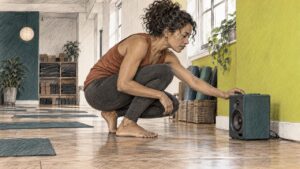
Loopable meditation music is a piece of music whose ending flows back into its beginning so smoothly that you never notice the join. Good ones are slow, gentle, free of a dominant tune, and edited so there is no click, no gap and no sudden jump in volume. You can either pick a track that was written to loop, or turn an ordinary track into a loop yourself with a crossfade. This guide covers both, plus the technical settings, the length question and the German licensing points people forget until a takedown notice arrives.
I’ll be honest: my first attempt at a loop sounded like a CD skipping in a cathedral. Every ninety seconds, a tiny “tick”, and every time I had just reached something resembling inner peace. So what follows is partly what the research says and partly what I wish someone had told me before that evening.
TL;DR
- A track loops well when it is slow (roughly 40 to 80 BPM), has little dynamic change and no strong melody, and when its end and start match in level and tone.
- Clicks come from a jump at the join. A crossfade of around 5 seconds is the usual starting point in Audacity, and “Constant Power 1” is the suggested fade shape.
- Export at 44.1 or 48 kHz, 16 or 24 bit, and keep loudness gentle (around -20 to -14 LUFS).
- In Germany, “royalty-free” does not mean “rights-free”: check the licence, the platform and, for public or commercial use, GEMA.
- The evidence for any special frequency is modest. Choose music you find calming, then let repetition do its job.
What makes meditation music loop seamlessly
A loop is not just a track on repeat. A track on repeat has a beginning (an intro that builds) and an ending (a fade or a final chord), and your ear catches both. A loopable track has neither, or hides them well.
One meditation and wellness app guide lists the usual traits: a slow tempo, typically 40 to 80 BPM, minimal dynamics, no dominant melody and a clean loop point. That matches what any orchestral arranger would tell you. Music that tells a story (a theme, a development, a big return) is lousy for looping, because the listener starts waiting for the story to end. Music that is more like weather (sustained strings, a soft pad, a slowly breathing harmony) can circle forever.
The join is what matters
Technically, a seamless loop is one where the waveform at the end meets the beginning at the same amplitude and, ideally, the same phase, with no step in between. If the file ends at one level and starts at another, you hear a click. Another streaming guide puts the musical version simply: a loop feels natural when the end and the beginning share similar rhythm, tone and volume.
That gives you a practical checklist for any track you are considering:
- Listen to the last ten seconds, then the first ten. Do they sit in the same harmony and the same register?
- Check for a reverb tail. A long tail that stops dead at the end of the file is the classic cause of an audible gap.
- Look for a final chord. If the piece “resolves” with a flourish, it will always sound like an ending, however nicely you join it.
- Notice percussion. A soft pulse is fine. A drum fill before the end announces the repeat.
Why orchestral music can work well
Live strings and winds breathe. Their sustained notes swell and settle in a way that synthesised pads often do not, and that natural movement hides repetition. The catch is that live recordings have natural noise and timing variation, so the loop point must be chosen with care, not cut at random. Which brings us to the editing.
How to make an audio track loop seamlessly
If you own the track (or have a licence that allows editing, more on that below), you can build the loop yourself in free software such as Audacity. The official manual is the place to go for the details.
Step by step with a crossfade
The Audacity manual explains that a crossfade fades one stretch of audio out while another fades in, and that for music an overlap of around 5 seconds is often a good starting point, though a shorter or longer one can sound better depending on the material. For meditation pieces with long, soft notes, longer overlaps usually hide the seam better than short ones. Trust your ears.
The approach that works for most pieces:
- Pick a loop region. Choose a section from a calm, steady passage, ideally starting and ending at a similar point in the harmony. Cut it out.
- Duplicate it. Put a second copy on a new track, directly below.
- Overlap the ends. The same manual stresses that track starts and ends must overlap for a crossfade to work, so slide the second copy left until its start sits over the end of the first.
- Choose the fade shape. The manual describes “Constant Power 1” as a generally good choice because it reduces the dip in loudness that a linear crossfade typically causes in the middle.
- Render, then test. Export a short version and play it on repeat with headphones. Listen at the join for a dip, a bump or a click.
- Trim to the loop length. The finished loop is the part from the start of the first copy up to where the second copy begins. Then it can repeat without any further blending.
Why clicks happen and how to fix them
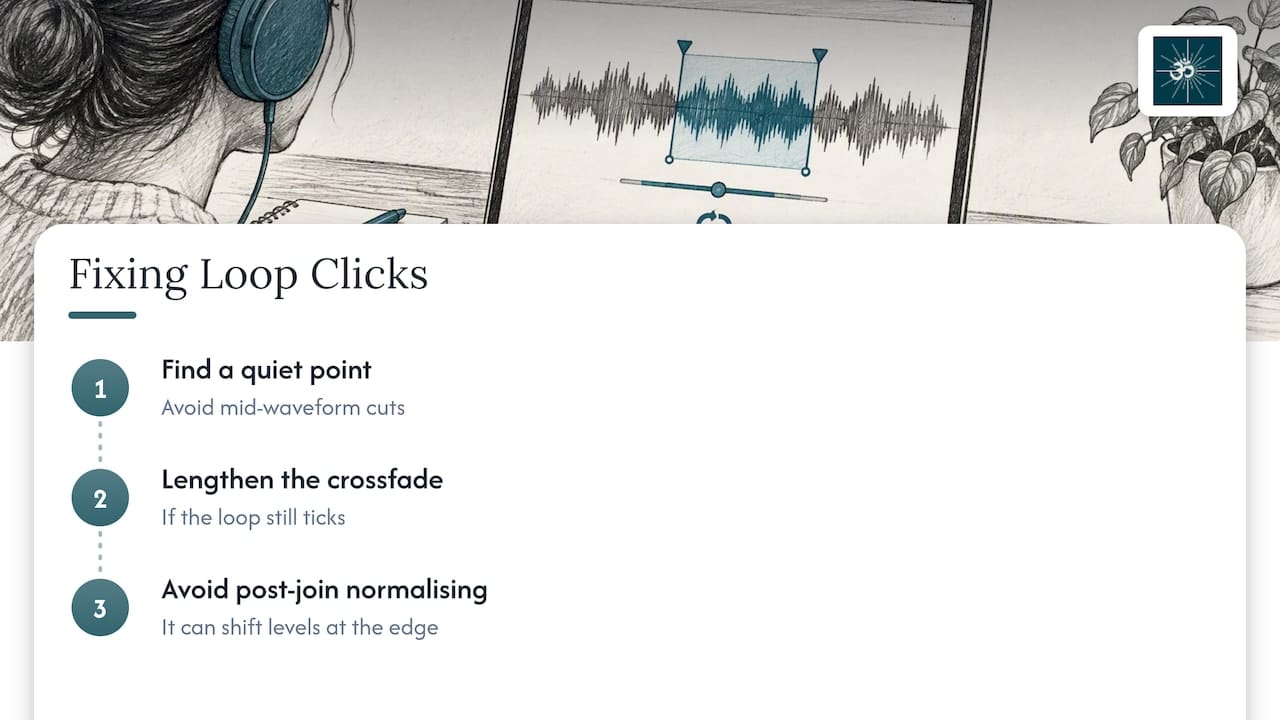
Clicks appear when the file ends and begins at different levels, so removing that sample-level jump is the whole job, as the loop guide points out. In practice there are three culprits: cutting in the middle of a waveform rather than at a quiet point, a fade that is too short, and normalising after the join (which can shift levels at the edge). Fix them in that order. If a loop still ticks, lengthen the crossfade before doing anything fancier.
My own pet rule: never judge a loop on laptop speakers. Seams hide on small speakers and leap out on headphones, which is precisely what you will be wearing at 2 a.m. when you are trying to sleep.
Format and export settings
For meditation tracks, the technical specifications cited in the Orphiq guide are:
| Setting | Common standard |
|---|---|
| Sample rate | 44.1 kHz or 48 kHz |
| Bit depth | 16 or 24 bit |
| Delivery format | WAV, or high-quality MP3 |
| Loudness | around -20 to -14 LUFS |
A few notes from experience. Work in WAV while editing, because every MP3 re-encode adds a little delay and padding at the file edges. That padding is a well-known cause of tiny gaps in looped MP3 playback, so if gapless playback matters to you, keep a WAV or a high-bitrate file and test it on the very device you will use. Keep the sample rate of the export identical to the source, and resist the urge to “make it louder”. Meditation music that jumps out of the headphones defeats its own purpose.
How to choose loopable music for meditation, yoga or sleep
There is no single correct answer, but a few questions narrow things down fast.
What are you doing while it plays?
- Seated meditation or breathwork: choose something with a sustained, even texture. Very little movement.
- Yoga or gentle movement: a little more gentle pulse or harmonic movement is welcome, as long as it does not drive the tempo.
- Sleep: the quietest, slowest option you can find, with no sudden entrances. Avoid anything with a bright, high melody.
- Background for speech (guided audio, classes, videos): ambient beds that sit behind a voice, with space in the mid frequencies so words stay clear.
Do you want it to be unobtrusive or immersive? Unobtrusive means very static music, which loops easily. Immersive means richer orchestration, which needs a better-made loop point but rewards you with a more absorbing session.
Does age or taste matter? It might. In a study from the University of Leeds team, Lee-Harris and colleagues compared music for relaxation across two age groups. Meditative binaural music overall worked about as well as calm classical music. Younger participants found the version with binaural beats more calming than calm classical music, while older participants rated calm classical music as the most calming. So if a recommended track leaves you cold, that is data, not failure.
Music with a purpose
Background music can change how a meditation feels. A 2024 study on loving-kindness meditation reported that music during the practice brought out more low-arousal and prosocial positive emotions, without changing how difficult people found the meditation. That is a modest but useful finding: music does not make meditating easier, but it can make the experience warmer.
If you are curious how the wider field looks, there is also an overview of vibroacoustic therapy research that looks at sound and vibration in a clinical context. It is a different technique from listening to a loop, but it shows how seriously sound-based relaxation is being studied.
What the evidence says about frequencies
This is where meditation-music marketing can get carried away, so let us stay level-headed.
The research above supports a fairly narrow claim: calm music, including binaural music, can help people feel more relaxed, and what works best varies by person and age. A small preprint by Sharma and colleagues tested 21 male medical students over six days with an 8-minute clip. The version with gradual tempo and octave changes reduced anxiety significantly compared with steady music or silence. But it was small and not peer reviewed, so it cannot tell us that any particular frequency or loop format is better for everyone.
Our view, which I’ll come back to below: use frequencies such as theta or Solfeggio tones as an invitation to settle, not as a medical treatment. If you have insomnia, anxiety or a diagnosed condition, music is a companion to the care of a doctor or therapist, not a substitute.
How long should a loop play?
Here the honest answer is that no checked source gives a magic number, so think in terms of the session, not the loop.
- The loop itself can be short. A few minutes is enough for ambient material if the join is clean. Longer loops (five to ten minutes or more) give an orchestral piece room to develop, so repetition is less noticeable.
- The session is whatever you need: 10 to 20 minutes for a seated practice, a class length for yoga, or the whole night for sleep.
- Variation helps. If you listen to the same four-minute loop for eight hours, you will eventually notice every note. Longer, slowly evolving material tolerates repetition better.
- Use a timer or a fade for sleep. Many people prefer playback that ends after 30 to 60 minutes, or at a very low volume all night. Keep the level low enough that you could talk over it comfortably, especially with headphones.
One more thing about repetition: the brain notices change, not sameness. A loop that is truly seamless gives it nothing to notice, and that is the entire point.
Our point of view
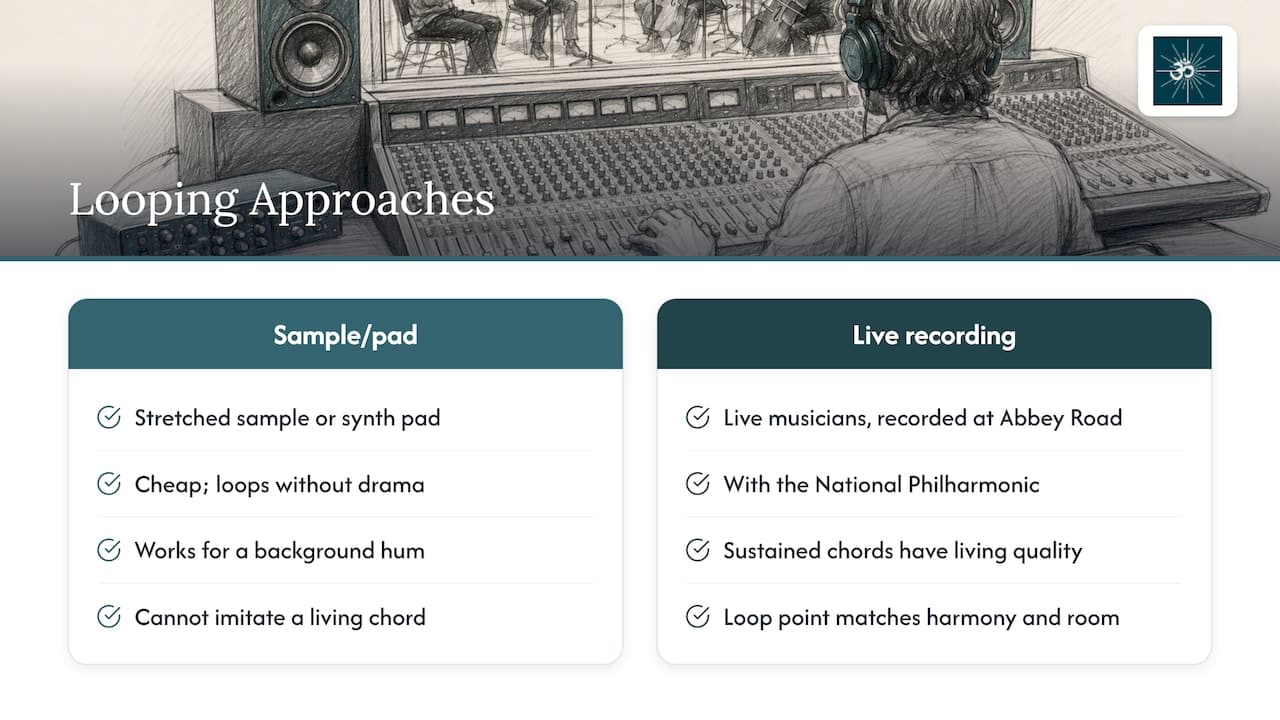
We make orchestral meditation music, and we think about loops in a slightly unfashionable way. Most loopable tracks online are built from a sample or a synth pad stretched out, because it is cheap and it loops without drama. That is fine for a background hum. But our work starts from live musicians, recorded at Abbey Road Studios with the National Philharmonic, because real players give a sustained chord a living quality that a pad cannot imitate.
That makes looping a craft problem rather than a copy-and-paste one. A live recording has natural movement, so the loop point needs to land where the harmony and the sound of the room agree. When we write and produce meditation pieces, we think about the ending at the same time as the beginning. Our composers, among them Robert Emery, work with the idea that a piece for meditation should never need to announce its own finish. If it has to end, it ends softly. If it should repeat, it hands itself back to the start.
We also use binaural beats, theta and Solfeggio-frequency material and 3D surround sound, because many of our listeners enjoy the sense of space. But we hold a plain view about what these do. They are part of how a piece feels, a tool for inviting stillness, not a guarantee. The research above is encouraging and modest, and we would rather you hear that from us than from a slogan.
If you take one thing from us: choose by listening, not by label. Play a track for ten minutes. If you stopped noticing it, that is a loop worth keeping.
— ROBERT
Using loopable music in public: what to check in Germany
The moment your loop leaves your own headphones (a class, a video, a stream, a shop, an app), copyright applies. The rules below are for Germany, and they are a starting point, not legal advice. For a specific project, ask a lawyer or the collecting society directly.
Authors’ rights
The German Copyright Act (UrhG) gives authors the exclusive right to exploit their works, including reproduction, distribution and public communication, and the right to be recognised as the author. The same act says arrangements or modifications of a musical work are protected as independent works only where they are the arranger’s personal intellectual creation. In plain terms: looping or editing somebody else’s track does not make it yours, and does not remove their rights.
Royalty-free is not rights-free
“Royalty-free” normally means you pay once (or subscribe) and then do not owe per-use royalties. It does not mean there are no conditions. Before you use a loop, check:
- whether the licence is personal or commercial,
- whether you may edit, loop and extend the track,
- whether you may use it in video, apps or streams,
- whether attribution is required,
- whether the music is registered with GEMA, which can change what you owe elsewhere.
GEMA, YouTube and Twitch
For small online uses, GEMA’s tariff VR-OD 10 applies to music or music videos on a website or web server when annual revenue from that use stays below €24,000 net. GEMA also lists a 15% non-profit discount on licence fees for qualifying volunteer-run organisations.
On platforms, GEMA says private users uploading to YouTube do not need a separate licence because YouTube has agreements with GEMA, while commercial users may need to clear manufacturing rights. The same page treats Twitch as a licensed platform partner, so individual streamers do not currently need separate licences for music from the GEMA repertoire. Platform arrangements change, so reread that page before a launch.
The practical shortcut for a yoga teacher or content creator: use music whose licence explicitly covers your use, keep the licence document, and do not mix it with unlicensed tracks in the same video.
Where our library fits
If you want loopable-friendly orchestral material without the hunt, our royalty-free meditation music is written for meditation, therapy, yoga, apps, guided audio and massage, with personal and professional licensing options. The tracks are live-recorded, available in binaural, theta, Solfeggio and 3D surround versions, and you can buy individually or subscribe.
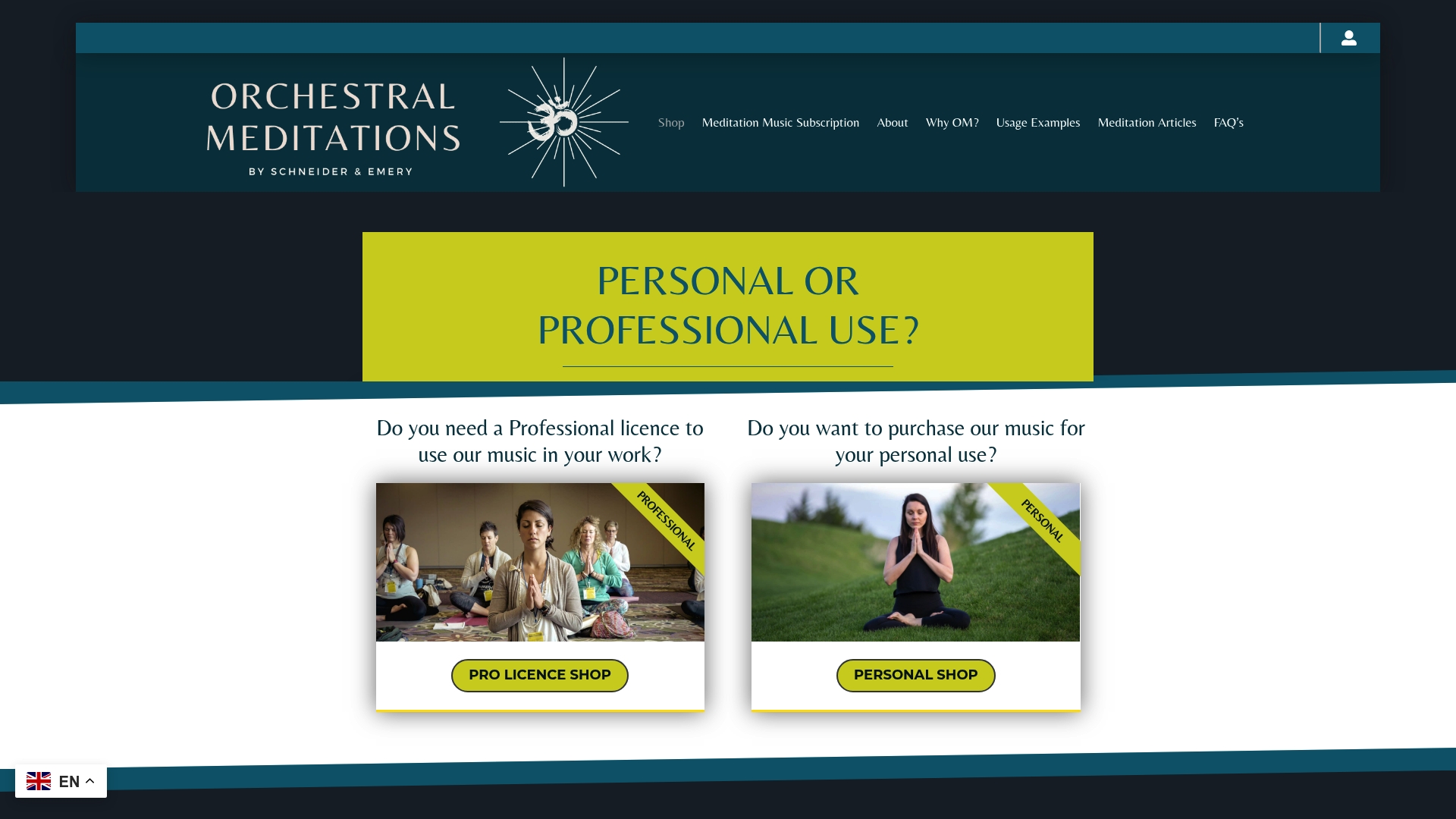
For personal listening, the personal subscription is €21 a month. For teachers, therapists, creators and app developers who need professional use covered, the professional subscription is €150 a month. Read the licence terms on the page for your exact use before you publish, particularly if you plan to edit or loop a track for a video or app. If you want to understand how sound affects a practice first, our article on science-backed sound and music for mindfulness is a good place to begin.
A quick loop-testing routine
Before you commit a loop to a class, a video or a long night’s sleep, run it through this routine:
- Play the join ten times in a row on headphones, at your normal listening volume.
- Play it once on speakers, then once on a phone.
- Leave it running for 20 minutes while you do something else. If you notice it only when you stop doing the something else, it is fine.
- Ask somebody else to listen without telling them where the join is.
- Keep the original file, the loop file and the licence together in one folder.
It takes a quarter of an hour and saves a lot of embarrassment, especially if the audience is a room full of people lying on mats.
FAQ
What is the best length for loopable meditation music?
There is no fixed best length. A clean loop of a few minutes works for ambient material, and longer loops of five to ten minutes suit orchestral pieces because the repetition is less obvious. Match the session to your practice, usually 10 to 20 minutes for meditation or an hour or less for falling asleep.
Why does my looped track click or have a gap?
A click usually means the end and start of the file sit at different levels, so the waveform jumps. A gap often comes from silence or reverb tail at the end of the file, or from MP3 encoding padding. Use a crossfade of around 5 seconds, and keep the edit in WAV.
Can I loop a royalty-free track on YouTube in Germany?
Only if the licence allows it. GEMA states that private users uploading to YouTube do not need a separate GEMA licence, but commercial users may need to clear further rights. Check whether your music licence permits editing, looping and commercial use, and keep the licence document.
Do binaural beats or Solfeggio frequencies make a loop work better?
The evidence is modest. One study found binaural meditative music about as calming as quiet classical music overall, with younger listeners favouring the binaural version. Treat the frequencies as part of the sound you enjoy, not as a treatment.
Sources
- Music for Meditation and Wellness Apps (Orphiq)
- So loopst du Audio nahtlos (Loop Music App)
- How to Make a Seamless Loop for a 24/7 YouTube Music Stream
- Creating a Crossfade, Audacity Manual
- Crossfade Tracks, Audacity Manual
- Music for relaxation: a comparison across two age groups
- The Impacts of Background Music on the Effects of Loving-Kindness Meditation
- One-week exposure to South Indian Classical music clip (bioRxiv)
- Vibroacoustic Therapy Benefits Backed by Clinical Research
- UrhG, Gesetz über Urheberrecht und verwandte Schutzrechte
- GEMA: Musik / Musikvideo Onlinenutzung lizenzieren
- GEMA: Tarif VR-OD 10
- GEMA: Musik auf YouTube, Twitch und Co verwenden